💬 Unlisted Posts
Short-form posts published to the Fediverse but not listed on the main blog. Follow @fabio@manganiello.blog on the Fediverse to see these in your timeline.

Is there a complete documentation of all configuration variables? In the config yaml example I didn't find the nav_links variable.
It's in the example - but I've added it today, the timing was perfect because I also needed it to migrate my personal website.
A full reference of the configuration parameters is on the README too.
if I want to link to a specific blog's article?
If you link to a blog article from another blog article a Webmention will be automatically sent out, so you can see the comment under the original page.
If you or anyone replies to a post from Mastodon and enable_activitypub is true then the reply will also be rendered automatically under the original page.
If you instead you mean "adding a link to another article in the nav bar", that should be possible always with nav_links:
nav_links:
  - name: Some Important Post
    url: /article/some-important-post
    icon: https://madblog.plusbrothers.net/img/myicon.png
If I want to place the guestbook page into the nav bar, should I link the whole http URL or just /guestbook?
Both should work. But you don't need to explicitly add the guestbook to the nav bar - it's automatically added if either Webmentions or ActivityPub are enabled and enable_guestbook is not set to false.
Then - on WriteFreely, if I publish a post and pin it, it goes to header's links.
Proper support for pinned collections hasn't yet been implemented (it requires implementing ActivityPub collections on Pubby too).
The workaround for now is simply to add links to nav_links.
But every markdown post I upload on madblog, gets into the Rss I think, like normal posts, even if it's not a post but a "static" page
Everything #markdown file you put under markdown on #madblog is also included in the RSS feed - unless you set default_visibility to non-public in the configuration or set e.g. [//]: # (visibility: unlisted) (or followers, direct or draft) in the Markdown headers.
What I'm wondering is how to create the so-called header and footer links which appear on every page. Where you put your project/company/blog's mission explanation, the "support us" links, contacts, and (in case of writers) license, as creative commons and so on.
That's the nav_links configuration 🙂
nav_links:
  - url: https://example.social/@me
    display_name: Mastodon
    icon: https://example.social/favicon.ico

  - url: https://project.tech
    display_name: My Project
    icon: https://project.tech/favicon.ico
If instead you want to have them on the /about page but not in the main page navigation then you can add them as external_links instead.
I also noticed an accessibility issue both in cards and lists mode: post titles aren't semantically marked with h2 headings. I'd expect main blog's title with h1, then every title in the blog posts list is an h2. See the example in WordPress blogs
Thank you for the feedback! I'll tackle this soon - from a style perspective it doesn't matter much the heading level of the titles on the index, but I forgot that it messes up the a11y DOM hierarchy.
Support for About Me and custom nav links
@elettrona@poliversity.it @fabio@manganiello.eu I've had a bit of time today to put together a new #madblog version 🙂
About Me
Now you can just drop an ABOUT.md in your pages directory. If you provide the right metadata in the #markdown header you also get a nicely rendered semantic h-card as a bonus.
An example from the header of my site's about page (trim the initial spaces, otherwise Madblog interprets these as true headers and messes up this post):
 [//]: # (title: My Name)
 [//]: # (name: My Name)
 [//]: # (given-name: My)
 [//]: # (family-name: Name)
 [//]: # (url: https://example.com)
 [//]: # (photo: https://example.com/photo.jpg)
 [//]: # (email: me@example.com)
 [//]: # (job-title: Cat herder)
 [//]: # (org: My Company|https://example.com, My Side Project|https://another-example.com)
 [//]: # (note: Some brief description)
 [//]: # (key: https://pgp.example.com/key.txt|FINGERPRINT)
 [//]: # (links: @me@example.social|https://example.social/@me, Github|https://github.com/me, LinkedIn|https://www.linkedin.com/in/me/, XMPP|xmpp://me@example.com, Matrix|https://matrix.to/#/@me:example.com)
External Links
You can add them now to your config.yaml.
# Mastodon-double linking purposes, but
# they are not rendered on the HTML
rel_me:
  - https://example.social/@me
  - https://goto.social/@name

# External links are automatically rendered
# on the about page
external_links:
  - url: https://example.social/@me
    display_name: Mastodon

# nav_links are automatically rendered
# on the navigation panel
nav_links:
  - url: https://example.social/@me
    display_name: Mastodon
    icon: https://example.social/favicon.ico
Also remember to specify enable_activitypub: true (and also link, or federation may break) if you want to make the blog handle discoverable on Mastodon:
# link is required for Webmentions and ActivityPub
link: https://madblog.plusbrothers.net/

enable_activitypub: true

# Only set these two if you want to use a different
# domain (e.g. plusbrothers.net) for your federated
# handles (e.g. @elena@plusbrothers.net). Otherwise
# it'll be @elena@madblog.plusbrothers.net
activitypub_link: https://plusbrothers.net
activitypub_domain: plusbrothers.net

# The username to expose to ActivityPub - in this configuration's case
# your user will be @elena@plusbrothers.net
activitypub_username: elena

# Additional profile fields that you want to add to your ActivityPub profile
# when visited on Mastodon (supports verification)
activitypub_profile_fields:
  "Powered by Madblog": https://git.fabiomanganiello.com/madblog
  "Main Profile": '<a href="https://mastodon.social/@me" rel="me">@me@mastodon.social</a>'
@elettrona@poliversity.it @fabio@manganiello.eu welcome onboard 🙂
the title and authors are set into the docker-compose.yaml as variables, while the config.yaml isn't there. I mean, on madblog/config there is "config.yaml" which is a folder instead of a text file as it should.
You can set title and authors either through environment variables or config.yaml.
Environment variables way:
services:
    madblog:
        # ...
        environment:
            - MADBLOG_TITLE="My Blog"
            - MADBLOG_DESCRIPTION="This is my blog"
            - MADBLOG_AUTHOR="My Name"
            - MADBLOG_AUTHOR_URL="https://..."
            - MADBLOG_AUTHOR_EMAIL="..."
config.yaml:
title: "My Blog"
description: "This is my blog"
author: "My Name"
author_url: "https://..."
author_email: "..."
is there a way to create a nav bar, such as an "about" page residing in the header? "social networks" are in the external links section you set up in the yaml.
I'm working on that right now and it should be available in the next Docker release (you can just do a docker pull quay.io/blacklight/madblog when ready and restart your container).
And categories? You create a folder, or add the category name into yaml configuration file?
A list of categories is supported on the config.yaml:
categories:
    - category1
    - category2
But it's purely for SEO purposes - it'll add <meta> links in the home page to help search engines categorize your blog.
Otherwise folders are probably the most straightforward way - folders under markdown/ are rendered on the blog index.
I didn't understand the whole activitypub part though, how to check if I have installed the correct python libraries for it.
The Pubby library is installed by default, but federation is not enabled by default. You need to enable it explicitly with enable_activitypub in the config.yaml (or the MADBLOG_ENABLE_ACTIVITYPUB env var).
enable_activitypub: true

# differs from the domain name you want to expose to ActivityPub, e.g.
# your blog is on madblog.plusbrothers.net but you want your Fediverse
# domain to be @plusbrothers.net
activitypub_link: https://plusbrothers.net
activitypub_domain: plusbrothers.net

# The username to expose to ActivityPub - in this configuration's case
# your user will be @elena@plusbrothers.net
activitypub_username: elena

# Additional profile fields that you want to add to your ActivityPub profile
# when visited on Mastodon (supports verification)
activitypub_profile_fields:
  "Powered by Madblog": https://git.fabiomanganiello.com/madblog
  "Main Profile": '<a href="https://mastodon.social/@me" rel="me">@me@mastodon.social</a>'
#madblog has now added support for custom visibility for your posts and articles.
You may not want everything you write to be published on your index or federated everywhere.
Madblog now allows you to easily tweak the audience of your posts.
Visibility levels
| Visibility Level |
Blog Index |
/unlistedPage |
Reactions List |
ActivityPub Targets |
|---|---|---|---|---|
public |
✅ | ❌ | ✅ | to: [Public]cc: [followers] |
unlisted |
❌ | ✅ | ✅ | to: [followers]cc: [Public] |
followers |
❌ | ❌ | ❌ | to: [followers]cc: [] |
direct |
❌ | ❌ | ❌ | to: [mentions]cc: [] |
draft |
❌ | ❌ | ❌ | Not federated |
All the visibility levels (except for draft) map one-to-one with their corresponding meanings on the Fediverse.
- public: articles are rendered on the blog indexes and replies are rendered in the comments section.
- unlisted: articles are rendered under the
/unlistedpage, replies are rendered in the comments section. - followers: articles are not rendered on the blog, replies are not rendered in the comments section (only visible to ActivityPub followers).
- direct: articles are not rendered on the blog, replies are not rendered in the comments section (only visible to tagged ActivityPub users).
- draft content is neither rendered on the blog nor federated.
Default visibility
You can configure the default visibility level for all of your posts on a global level via config.yaml:
default_visibility: public
Or MADBLOG_DEFAULT_VISIBILITY environment variable.
Per-post visibility
You can configure the visibility level of a post by using the visibility Markdown header:
# A private post

 [//]: # (visibility: direct)

@alice@example.com only you should be able to see this message
ActivityPub constraints
If a post is federated then YOU CANNOT change its visibility level. This is a constraint on ActivityPub itself. You should delete and re-created the post with a different audience instead.
If a post was already federated and you move it to Draft then the previously federated version will not be removed. No changes that you apply while it's a draft will be published until you change the visibility level back, but the latest federated version will still be available. If you want to delete it, then you should delete the associated file.
Security observations
Remember that Madblog, by design, has NO USERS, NO AUTHENTICATION and NO WRITE API.
Everything lives on the file system, and every Markdown file in the supported folders will have a public URL.
It means that everyone with the URL can access the content.
Be mindful about not sharing sensitive data, even in drafts or private messages. And, if you can, use non-easy-to-guess filenames for posts you want to keep private.
A corollary to the concept of small tech neighbourhood is the idea of local tech communities.
It's easy for folks like me, who have been self-hosting on computers in our closets since high school, to lose track with the common non-tech person.
It's easy for us to say "just self-host your Nextcloud, Matrix, XMPP, Mastodon, Searxng, Wallabag etc.", adding a "it's just a docker run command".
I've also seen "just run your f*cking website" articles get to the top of HackerNews.
But then I thought: imagine if it was, say, the bakery industry rather than the software industry to go through a process of #enshittification.
Imagine that buying your bread or croissant tomorrow requires a $100/month Bread+ subscription with plenty of upsells, an age verification process that requires you to send your passport or retina scan to the Big Bread consortium, a tracking system that measures exactly how much bread you eat at home, and that keeps selling your eating habits to whoever wants to purchase them - all while your bread quality gets progressively worse over time, and the oligopoly that holds it, after acquiring or putting out of business any credible competitors, starts experimenting also with selling expired products, wrapped in paper littered with ads that you have to spend at least 30 seconds reading before you can make your sandwich.
Of course people would be outraged.
But many, no matter how outraged they are, will just swallow the bitter pill and stick with the Bread+ subscription (perhaps because they don't care enough yet to trigger a change in their habits, perhaps because they have other priorities and battles to fight), hoping that the next change to the T&C won't make it even worse.
And some will instead start looking for alternatives.
Would it make sense for a professional baker who's been in the business for decades to tell those folks "just bake your own f*cking bread" - and then complain that not enough are moving out of the Bread+ walled garden?
Or perhaps would it make more sense for that baker to volunteer for a competitive price to sell their bread to its friends, family and local community?
We all know that running your own stuff on your own machines is the best way to avoid enshittification. Just like wisely selecting and mixing your wheat and butter to bake your bread and cakes is the best way to make those products the way you like them. But not everyone will do it, nor they are supposed to do it.
People live different lives, have different priorities and choose different battles. Any pragmatic human must at some point delegate some tasks - that's how modern societies were born. We don't judge those outside of our area of competencies for not being able or willing to perform a certain task, no matter how trivial that looks to us.
An average neighbourhood has someone good enough at baking that they can sell their products to their local community.
And nowadays perhaps it also has someone good enough with computers that they can probably run on an old laptop or unused VPS stuff like a small Matrix server, a GoToSocial instance, a Nextcloud instance or an Immich server.
And they could probably serve that to small local groups of 10-20 people for something like $10/month (and at low volumes those services usually don't even require much maintenance).
It can be $100/200 month that can abundantly cover the cost of a small VPS, let alone the cost of running a miniPC at home.
It'd be a bargain for the subscribers too - nowadays for $10/month you don't even get a Netflix subscription, let alone a complete cloud alternative with no trackers and no ads.
It can even be a reliable source of income for IT folks in areas that would otherwise not provide other viable employment solutions.
In a healthy society with a high level of immunity against enshittification, your local self-hoster should probably become the digital equivalent of your local baker or your local pub.
The latest version of #madblog introduces a separate page, under /unlisted, for posts that the author can send to the Fediverse (or simply keep in a separate area of their blog) without publishing them on the index.
This is useful for quick thoughts and interactions. Worth enough to mention, but not enough to deserve their own dedicate article on the blog frontpage.
To create an unlisted post, simply create a Markdown file under /replies/ with no like-of and reply-to metadata headers:
cd $MADBLOG_DATADIR
mkdir -p replies

cat <<EOF > replies/unlisted-post.md
# My first unlisted post

I thought that it'd be cool to share with my followers on Mastodon that now I can trace likes and replies with git bisect.

I'll also tag @friend@nerds.tech because he'll probably think it's cool.
EOF
Save the file, then you will find your post on the /unlisted page.
Example on my blog: https://blog.fabiomanganiello.com/unlisted.
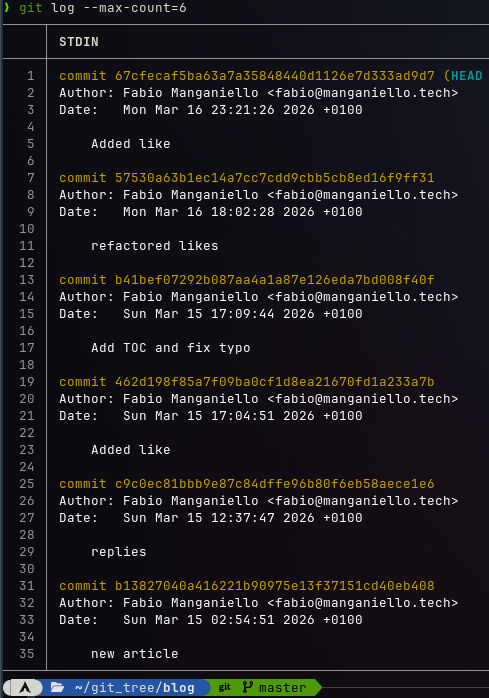
That oddly satisfying feeling of browsing your blogging and social media history with git log and git grep #madblog #activitypub #indieweb